
Best Answer:
People may see mutual friends when they visit your profile.
…
- Tap.
- Scroll down and tap.
- Scroll down to Audience and Visibility and tap How People Find and Contact You.
- Tap Who can see your friends list?
FAQ
Why do some mutual friends not show?
The number of mutual friends now includes mutual friends whose accounts have been disabled, but these friends are not displayed. Also, if the person’s full list of friends is hidden to you, a mutual friend who also has their full list of friends hidden to you will not be displayed as a mutual friend.
How do you hide someone on Facebook on iPad?
How to hide your Facebook friends’ list on iPhone, iPad, and Android
- Open Facebook on your mobile device and tap the Menu button.
- Now, scroll down and tap Settings & Privacy → Settings.
- Under Audience and Visibility, select How People Find and Contact You.
- Next, tap Who can see your friends list?
Is there a way to hide mutual friends on Facebook?
You can easily hide your entire friend list, but you cannot hide your mutual friends. Setting your list to private also protects the privacy of your friends. Go to “Menu > Settings & privacy > Settings > Profile Settings > Privacy > Who can see your friends list? > Only Me.”
Who can see mutual friends on Facebook?
You can not hide mutual friends. It will always visible for those people who are friends with you and other person and other person is also in your friend list. You can control who can see the Friends section of your timeline, but people can always see mutual friends.
Can you see a blocked person on a mutual friend list?
Mutual friend content: There’s a chance that you’ll see content about the blocked profile through mutual friends. For example, if the blocked profile tags a mutual friend in a photo, you might see this on your friend’s timeline. Photos: You might see photos or tags of the blocked profile added by other people.
How can I hide mutual friends and friends?
After opening the Facebook application, tap on the menu at the bottom corner on the left side. Choose the Settings option and tap on “Account Settings” and the “Privacy” option. Similar to the Android, you will find “Who can see your friends list” and select “only me.”
What do restricted friends see on Facebook?
public informationWhen you add someone to your Restricted list, you’ll still be friends with them on Facebook, but they’ll only be able to see your public information (example: your posts and profile info you choose to make public) and posts you tag them in.
How do I hide my profile from someone on Facebook without blocking them?
Click the “Who can look up your profile by name or contact info?” drop-down menu and select “Friends of Friends” or “Friends” to limit the people who can view your Facebook profile. This hides your profile from being visible in public searches on Facebook or from search engines like Google.
How can I hide someone on Facebook without blocking them?
1. In the Facebook app, first go to the friend’s timeline. Click the “Friends” button and you’ll see the following choices – Unfriend, Take a Break, and Edit Friend Lists.
…
Add your friend to your “Restricted” list to prevent them from seeing what you share
- Share an update with “Friends” …
- Share an update with “Everyone”
Does Facebook only show mutual friends?
One can set the “settings” in the Friends section to “Only Me” – then, all friends will only see mutual friends. (I would imagine that if one set it to “Friends,” then the public would only be able to see mutual friends.”)
Why can’t I see someone’s mutual friends on Facebook?
Why can’t we see all mutual friends on Facebook? The answer is because some of those people have set their “who can see my friends list” option (in the privacy options) to “only me”. That is why you can’t see all of the mutual friends.
How do I hide who I become friends with on Facebook app?
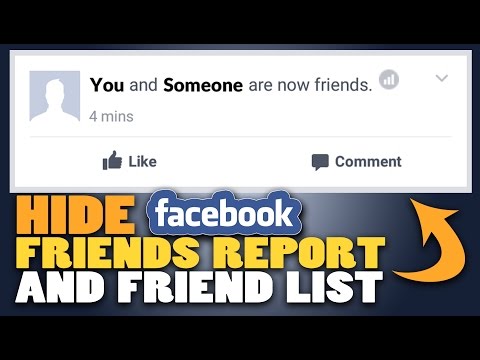
How do I know if I am on a friends restricted list?
Look for empty space at the top of their profile.
This is usually indicative of a gap between private posts and public posts. If you’ve been restricted, you won’t be able to see the private posts, hence the space here.
What does take a break mean on Facebook?
When you take a break, you’ll be able to: See less of someone’s profile: Limit where you see someone’s profile on Facebook. If you choose to see them less, their posts and posts they’re tagged in won’t appear in your Feed and you won’t be prompted to message them or tag them in photos.
Can someone tell they are restricted on Facebook?
We won’t tell them that you restricted them. They won’t be able to see when you’re online or if you’ve read their messages. You also won’t see when they’re online. We’ll let you know if you’re about to enter a group chat with someone you restricted.
Can you limit one person sees Facebook?
It is for people you’ve added as a friend but may not want to share with your Facebook posts and other media. When you add someone to your Restricted list, you’ll still be friends with them on Facebook, but they’ll only be able to see your public information and posts you tag them in.
Can someone block you from seeing their profile picture on Facebook?
Click the blue arrow beneath your profile picture album. Choose “Friends” from the privacy menu to block anyone who isn’t on your friend list from seeing the profile pictures album.
How do you know if someone has restricted you on Messenger?
Tell Tale Signs That Someone Restricted Your Messenger Account
- Not Responding to Your DMs.
- No “Read” Receipt.
- They Don’t Receive Your Calls.
- You Stop Seeing Their Active Status.
How do I hide things on Facebook?
Tap in the top right of the post and select one of the following options:
- Hide post: Hides a single post.
- Snooze [Name] for 30 days: Temporarily hides all posts from a specific person, Page or group from your Feed.
- Unfollow [Name]: Hides all posts from a specific person, Page or group from your Feed.
Can a restricted person see my posts if I tag a mutual friend?
They will only see your posts if you’ve set the audience to “Public” (indicated by the globe icon), if they’re tagged in it or if a mutual friend tags both of you in the post. They will not know that they’re on your restricted list.
How can you tell if two people have mutual friends on Facebook?
When you visit someone’s profile,under friends you have mutual, if you click on that you’ll get the mutual friends between you and that person.
Can someone who blocked you still see your posts?
If someone blocked you on Instagram, or if you blocked them, they won’t be able to see any of your posts.
Why is the same person always at the top of my Messenger list?
Friends who you chat with the most via Facebook Messenger almost always appear first on the list of people who liked your post.
How to hide someone on Messenger?
From the top of Chats or from the People tab, find the person you want to hide. Tap and hold on the person’s photo or name. Tap Hide contact.
Is it better to block or unfriend someone on Facebook?
Then, click “Unfriend.” When you unfriend someone, they can still see your profile and send you messages. If you do not want someone to be able to see your profile, items you post on your timeline, tag you, or send you messages, then you should block this person.
How to tell if someone blocked you on Facebook or deleted their account?
Ask your Mutual Friends
When they can see the profile, the user has blocked you. However, if they cannot see the profile, it’s safe to say they have deactivated their account.
Can a blocked person still see my posts on a mutual friend’s wall?
Once you block someone, you won’t be able to read each other’s comments even though both of you will be able to comment on a mutual friend’s post or photo. That’s because after blocking Facebook hides your profile from each other.
Why would my boyfriend hide his friends list on Facebook?
If he’s hiding his friends, he’s probably hiding posts and photos and other timeline activity from you. Sounds likes he’s got secret associations, liaisons, and activities that’s he’s carrying on behind your back.
Can you see someone’s mutual friends?
It’s easy to see users with mutual friends on Snapchat. These are people that aren’t currently your Snapchat friend, but with whom you have friends in common. You can view these individuals in the Quick Add section of the Add Friends page.
Can you block someone so they know they are blocked?
Blocking Someone on Android Messages and Apple iMessage
They won’t know that they’ve been blocked. Blocking: In Messages, tap on the contact’s name in Contacts, tap More, then tap “Block contact.” In iMessage, tap on their name in Contacts, then tap on “Block this caller.”
Where do blocked messages go?
For Android phones, this is how you can retrieve blocked messages.
- Open the Messages app, and click the three dots on the top right corner of the screen.
- From that drop-down menu, choose “Settings.” From there, tap on “Block numbers and messages.” From there, go to “Blocked messages.”
What do blocked callers hear?
The blocked party won’t get a notification that they’ve been blocked, but if they call your landline they may hear a busy signal, or a message that their call couldn’t go through or that the number is busy. Which variation of this they hear will depend on the carrier.
Can you tell someone restricted you?
The best way to find out if you’re restricted is to comment on one of their posts and ask a mutual friend if they can see your comment. If your comment isn’t visible to your friend but you’re able to see it just fine, the post’s creator likely restricted your account.
What are the 6 friends that appear on Facebook profile?
Facebook determines those nine friends based on some factors – your interactions with those individuals on Facebook, profile views, tagged photos, wall posts, likes, comments, viewed photos, private messages, mutual interactions, friends who are currently online, friends you’ve added to the “close friends” group and …
How can I see who my boyfriend interacts with on Facebook?
You have to go to your boyfriend’s homepage on Facebook, then click on Friends. Also, click on ‘all friends’, and the order in which they appear is in the order of interaction. The person, your boyfriend, interacts with most will appear at the top of the list.
Will someone know if I unfollow them on Facebook?
If you unfollow a friend on Facebook, they won’t be able to tell. All that happens is that their posts no longer show up in your Facebook news feed. What is this? Remember, unfollowing is NOT unfriending!
Can someone tell how many times I look at their Facebook?
Your Facebook searches are private. If you look up someone’s profile or they look up yours, none is the wiser. Facebook is very clear on the matter: “Facebook users cannot track who has viewed their personal homepage. Third-party applications also cannot provide this feature.”
Does someone’s profile picture disappear when they block you?
If someone blocks you and then changes their profile picture, you won’t see the new profile picture – you’ll always see whatever the image was when you got blocked.
What is profile locking on Facebook?
When someone locks their profile, only their friends will see the following: Photos and posts on their profile. Their full size profile picture or cover photo. Their Stories. New posts and photos.
What happens if you block someone on Facebook too many times?
There is no cap on the number of times you can block or unblock a profile, but you are required to wait 48 hours after unblocking to block someone again.
Can you see a blocked person on a mutual friend list Facebook?
Mutual friend content: There’s a chance that you’ll see content about the blocked profile through mutual friends. For example, if the blocked profile tags a mutual friend in a photo, you might see this on your friend’s timeline. Photos: You might see photos or tags of the blocked profile added by other people.
Can you see mutual friends of someone who blocked you?
Mutual friends can be a good indicator to see if you have been blocked. Navigate to a profile of someone who was a mutual friend with the person you suspect has blocked you. A list of some of her current friends is on their profile page. Click the “See All” link at the top of the list.
Can someone tell if I look at their Facebook page a lot?
No, Facebook doesn’t tell people that you’ve seen their profile. Third-party apps also can’t provide this functionality. Was this helpful?
Can you hide friends on Facebook from your spouse?
You can hide your friends list on Facebook by going to your profile’s Privacy settings. By default, your friends list is public, and anyone with a Facebook account can see who is on it. You can hide your friends list so that only your friends, or no one at all, can see it.
Why do some mutual friends not show?
The number of mutual friends now includes mutual friends whose accounts have been disabled, but these friends are not displayed. Also, if the person’s full list of friends is hidden to you, a mutual friend who also has their full list of friends hidden to you will not be displayed as a mutual friend.
Are mutual friends on Facebook random?
The algorithm collects data about how often you view certain profiles. If the profile views are mutual, meaning that the person whose profile you often visit regularly checks up on your profile too, there’s a high chance they’ll appear on the list.
How do I hide my friends and mutual friends on Facebook?
Updated mobile browser experience
- Tap in the top right of Facebook.
- Tap Settings.
- Scroll down to Privacy and tap Privacy Settings.
- Tap Who can see your friends list? below How People Find and Contact You.
- Select the audience of people (such as Friends) you’d like to have access to your friends list.
Can you see what someone texted you while they were blocked?
Once blocked, the caller can’t leave any kind of message on your iPhone, whether it’s an iMessage or SMS. That means you can’t see any messages that have already been blocked, but you can unblock that person and start receiving messages again in the future, with just a few clicks.
What determines who shows first on Messenger?
Why do some people appear first on Messenger? People you frequently chat with will appear first. Besides, someone you engage with on Facebook and who is connected to you on Messenger still takes priority. Other factors include profile and story interactions, active users, etc.
How does Facebook pick which friends to display?
Facebook most likely takes into account whose friends profiles (and photos) you view and who your friends view. And then compares these profile views in relation to all of your friends (or in the case of your friends, what other friend profiles and photos they view more often).
Does Facebook have secret messages?
Facebook’s secret messenger feature allows users to talk to one another in a completely private and closed-off chat. Secret Conversations enables two friends to speak to each other in an encrypted space which no-one else, including Facebook, is able to view.
How do you hide a secret conversation on Messenger?
Plus, there’s no way to turn off Secret Conversations.
…
To delete a Secret Conversation:
- Tap the person’s icon.
- Tap Secret Conversations.
- Tap Delete Secret Conversations.
- Tap Delete All.
Can you tell if someone is checking your Messenger?
A filled-in blue circle next to your message means that your message was delivered. And, when a friend has read your message, a small version of your friend’s photo will appear next to your message.
How do you get over someone without blocking them?
Below, find the must-try cures for heartbreak and the secret to stop crushing on someone once and for all.
- Give Yourself Time.
- Talk It Out and Let It Go.
- Validate All Your Feelings.
- Try Not to Obsess.
- Don’t Haunt Them on Social.
- Delete or Mute Them.
- Know Your Worth.
- Learn Whatever You Can.
Can someone still message me if I deactivate Messenger?
If you had a Facebook account and deactivated it, using Messenger won’t reactivate your Facebook account, and your Facebook friends can still message you. You can either download the Messenger mobile app if you don’t already have it, or use Messenger on Messenger.com.
When someone deactivates their Facebook account do their comments disappear?
Do My Comments Disappear if I Deactivate Facebook? If deactivation has worked, your posts on your own timeline won’t be publicly visible, and your friends shouldn’t be able to see them either. Your whole profile will have gone. But that doesn’t mean comments you’ve made to others will disappear as well.
Do deactivated accounts show up on friends list?
When account holders deactivate their accounts, they “become invisible.” They no longer appear on others’ lists of friends, nor can others “unfriend” them.
How to tell if someone blocked you on Facebook or deleted their account?
How to Tell If Someone Blocked You on Facebook
- Method 1: When You Can’t Find Them on Search.
- Method 2: You Can’t Send Them a Message Via Facebook Messenger.
- Method 3: Cannot View Their Profile Page.
- Method 4: You Can’t Tag Them in Any Posts.
- Method 5: Not Found in Your Friends’ List.
What does it mean when Messenger shows you people and suggested list when you don’t even text with them?
It means that Messenger is suggesting to you some people you are not friends with on Facebook or connected on Messenger, but it thinks you should be. You can’t stop Messenger from suggesting people, but you can definitely ignore them.